

The Toolchain We Actually Use to Keep AI-Written Code Clean
—Our last post made the case that clean, consistent code isn't just good practice any more, it's directly tied into how well your AI coding assistant performs, and what it costs you in tokens to get there. After reading that you may be asking the obvious next question: okay, so what do you actually use?
Fair question. Here's the shape of it, without the full build specifics.
One tool per layer, not one tool for everything
A typical client project touches four distinct languages: server-side code, browser-side JS, styling, and templating. We treat each as its own problem rather than reaching for a single do-everything formatter, because the tools that are genuinely excellent at catching PHP-specific issues (missing type safety, risky comparisons, complexity that's crept up over time) are rarely the same tools that are excellent at CSS or templating-language issues. Trying to cover all four with one generic tool means compromising on all four.
So we run a small stack (one specialist per layer) rather than a single blunt instrument.
The split that actually matters: fixable vs. needs-a-human
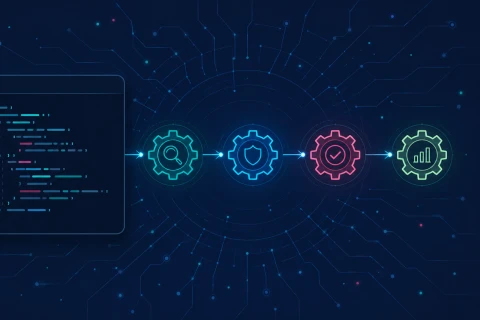
The interesting design decision isn't which tools we picked, it's how we decide what happens automatically versus what gets escalated. The overwhelming majority of issues a linter finds are indentation, quote style, import order, a stray == where === was meant, these don't need anyone's judgement. They get fixed silently, in the background, the moment a file is saved.
What's left after that first pass is a much smaller, much more interesting list: logic that's grown too tangled to be safe, architectural smells, things that genuinely need a developer to look at them. That list gets written out for review rather than acted on. Nobody has to hunt for it, it's just there, waiting.
That triage is the actual value. Anyone can install a linter. Deciding what a linter is allowed to touch without asking, and building the workflow around that decision, is the part that takes iteration to get right.
Wiring it into the AI's own workflow
The bit that made the biggest difference wasn't the tools themselves, it was making them fire automatically as part of the AI assistant's own editing loop, rather than as a separate step someone remembers to run before a commit. Every time a file gets touched, the same checks run against it immediately, invisibly, before anyone (human or AI) moves on to the next thing.
The practical effect: the AI never works from a stale or inconsistent file. It's always reading code that's already been through the same pass, every time, on every project. That consistency is what actually drives the token savings we talked about in the last post, not the linting itself, but the fact that it's guaranteed to have already happened.
The audit you didn't ask for
One side benefit worth mentioning again: pointing this stack at a codebase we've inherited (rather than one we built) gives us a genuinely useful first read on how healthy it is, in about the time it takes to make a coffee. Complexity warnings show us what's grown unwieldy. Type-safety gaps show us where bugs are probably already hiding. It's not a substitute for actually knowing the codebase, but it's a very good head start.
Where the details stay ours
We're not going to walk through the exact configuration here, partly because it's genuinely fiddly to get right (some of it took real trial and error across real projects), and partly because it's one of the things that separates how we work from how a lot of agencies work. If you want to know more about what this looks like for your team specifically, that's exactly the kind of conversation worth having directly, so please do get in touch.

